
| 일 | 월 | 화 | 수 | 목 | 금 | 토 |
|---|---|---|---|---|---|---|
| 1 | 2 | 3 | 4 | 5 | 6 | |
| 7 | 8 | 9 | 10 | 11 | 12 | 13 |
| 14 | 15 | 16 | 17 | 18 | 19 | 20 |
| 21 | 22 | 23 | 24 | 25 | 26 | 27 |
| 28 | 29 | 30 |
- TradingVIew
- useState
- CSS
- components
- error
- JavaScript
- 이미지
- err
- vscode
- type
- FRONT
- Chart
- vue-cli-service
- 리액트
- 시멘틱태그
- 상태관리
- frontend
- develop
- Download
- react
- axios
- antd
- 리액트기초
- 프론트엔드개발
- NeXT
- VUE
- npm
- 프론트엔드
- form
- Package
- Today
- Total
개발쬬
masonry / infinite scroll / imagesLoaded 활용하여 핀터레스트 | 네이버 이미지 리스트화면 구현하기 본문
masonry / infinite scroll / imagesLoaded 활용하여 핀터레스트 | 네이버 이미지 리스트화면 구현하기
Joooooooo 2022. 12. 9. 16:27벽돌처럼 차곡차곡쌓아진
디자인을 masonry 라고 이야기한다. 이번엔 사이즈가 제각각 다른 이미지를 활용해 이런 피드리스트를 구현해보았다. 추가로 스크롤링시 다음 페이지를 호출하는 방식을 사용했다. (infinite scroll)
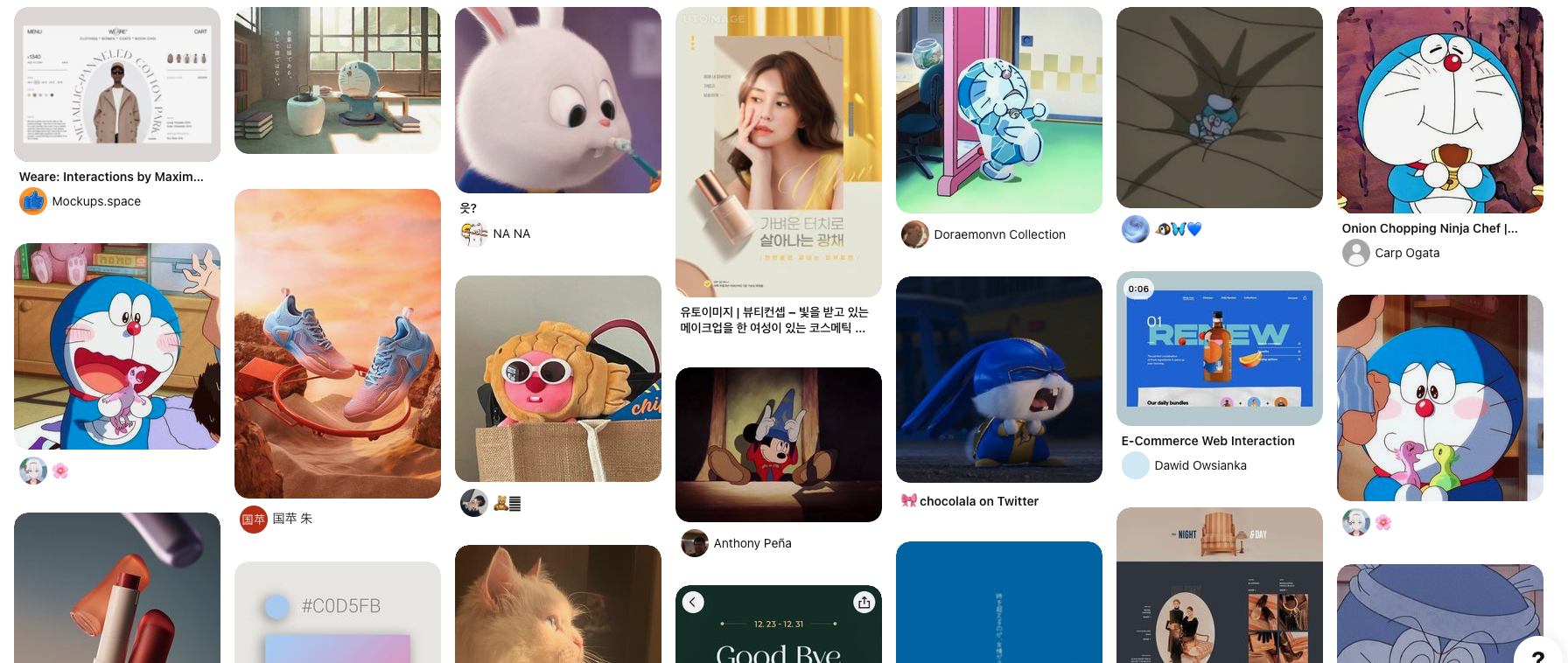
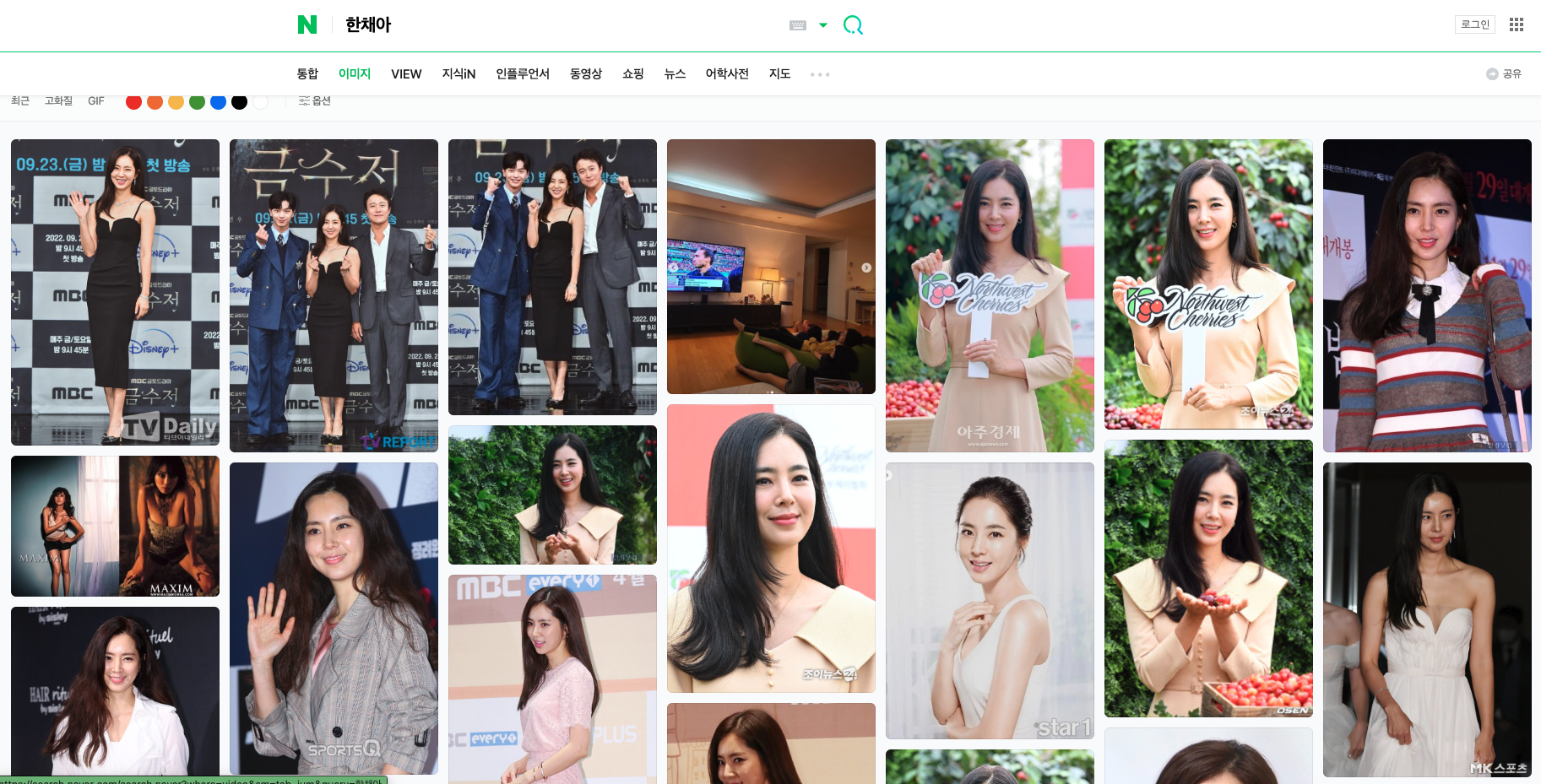
masonry 만 사용한 경우
발생되는 문제점이 애초에 해당 프로젝트는 pull-refresh 를 사용하고 있어서 제대로 영역을 감지 못하는 상태였다. 게다가 데이터 내부에 이미지를 받아오자마자 뿌려주다보니 이미지가 완전히 load 되기 전에 레이아웃이 실행되어 높이 영역이 계속해서 겹치는 현상이 발생했다. 그럼 어떻게 해결할 수 있을까? 라는 생각을 이것저것 해보다가 이미지가 완전히 load 되어 높이가 지정되었을 때, 적용하면 문제없이 구현이 가능할것이라고 생각했다.
사용 라이브러리
👉 masonry
Masonry
Install Download CDN Link directly to Masonry files on unpkg. Package managers Install with Bower: bower install masonry --save Install with npm: npm install masonry-layout Getting started HTML Include the Masonry .js file in your site. Masonry works o
masonry.desandro.com
👉 vue-image-loaded
리액트나 다른 구성이면 맞춰서 사용하면 된다
vue-images-loaded
Vue.js 2.0 directive to detect image loading. Latest version: 1.1.2, last published: 6 years ago. Start using vue-images-loaded in your project by running `npm i vue-images-loaded`. There are 7 other projects in the npm registry using vue-images-loaded.
www.npmjs.com
👉 패키지 설치
npm install masonry-layout
npm install vue-images-loaded
👉 index.vue
  import Masonry from "masonry-layout";
  import ImagesLoaded from "imagesloaded";
👉 html or template
 <div id="grid">
  <div class="box" v-for="(item, index) in boxItem" :key="index">
  	<img :src="item.src" />
  </div>
</div>
👉 script
data(){
	return {
    	boxItem: [],
        page: 1,
    }
},


mounted(){
	 this.getData(); // 초기 데이터 호출
	 window.addEventListener("scroll", this.handler); // 스크롤 시 호출
},


methods:{
	getData(){
        axios.get('url',params).then((data)=>{
         // boxItem에 담을 요소를 넣어준다
         this.boxItem = [...this.boxItem, ...data.arr ];
         // boxItem 기준으로 grid 생성
        this.$nextTick(() => { this.createGrid();}

        this.timeLoading = false;
        this.bottomLoading = false;
      })
    },


	createGrid() {
        if (!this.boxItem.length > 0) return;
        this.$nextTick(() => {
          this.imagesLoaded();
        });
    },


    imagesLoaded() {
        const grid = document.querySelector("#grid");
        return new ImagesLoaded(grid, () => {
            this.$nextTick(() => {
                 // 이미지 로드 후 masonry 호출
             	 this.masonry();
              });
        });
    },


    masonry() {
        const grid = document.querySelector("#grid");
        new Masonry(grid, {
          percentPosition: true,
          itemSelector: ".box",
        });
      },


   async handler() {
    if (this.timeLoading === false) {
      this.scroll = window.scrollY;
      const SCROLLED_HEIGHT = window.scrollY;
      const WINDOW_HEIGHT = window.innerHeight;
      const DOC_TOTAL_HEIGHT = document.body.offsetHeight;
      const IS_BOTTOM =
        WINDOW_HEIGHT + SCROLLED_HEIGHT + 4000 >= DOC_TOTAL_HEIGHT;

 	 // 분기 조건 :: 호출중, 마지막 페이지가 아닌경우
      if (
        IS_BOTTOM &&
        this.lastPage === false && // 마지막 페이지 체크
        this.timeLoading === false // axios 호출 상태 체크
      ) {
        this.timeLoading = true;
        setTimeout(() => {
          if (!this.lastPage) {
            let page = this.page + 1;
            this.page = page;
            this.getData(); // axios 호출
          }
        }, 700);
      }
    }
  },
 }
'쬬는 개발중' 카테고리의 다른 글
| [Vue Error] npm run serve 오류 vue-cli-service: command not found (0) | 2023.06.24 |
|---|---|
| [javascript] 모바일 검색창 숨기기 기능 구현 (터치 떨림 보정) (1) | 2023.01.30 |
| [axios] 엑셀 파일 다운로드 기능 구현하기 (0) | 2022.12.04 |
| [axios] 이미지 POST 기능이 제대로 동작하지 않을때 확인사항 (0) | 2022.12.02 |
| [javascript | Vue] 이미지 다운로드 기능 만들기 (canvas/url활용) (0) | 2022.12.02 |

